
From analogue to IP: how to plan a smooth intercom upgrade for your building
Get more than alarm – get peace of mind.
07881 457719
0800 233 5811
From analogue to IP
From analogue to IP: how to plan a smooth intercom upgrade for your building
Walk into almost any older block of flats, converted terrace, school site or light-industrial unit in the UK and you will find an intercom that does the job in the simplest possible way. A button at the entrance. A buzzer inside. A voice path that sounds slightly thin, sometimes crackly, but familiar. For years, that ‘analogue door entry’ setup has been good enough because it is self-contained and forgiving. It can run on old cabling, it does not care about Wi-Fi, and it rarely needs attention until it fails.
The pressure to upgrade usually arrives from several directions at once. Parts become harder to source. Residents expect video and mobile answering. Managing agents want remote administration rather than a set of mysterious dip switches in a cupboard. Businesses want to tie door entry into an IP phone system, or at least have a clear record of who was called and when. And, increasingly, building owners want a system that can grow with them: additional doors, a second entrance, a delivery gate, a concierge desk, or a camera at the car park.
That is where SIP/IP intercom and modern IP door entry systems come in. They offer sharper audio, better video, flexible call routing, and far more control. They also introduce a new set of planning questions, because you are no longer swapping like-for-like. You are moving from a closed circuit to a networked service. Get the planning right and the change feels almost boring: short downtime, familiar handsets (or apps) that work on day one, and maintenance that stops being a guessing game. Get it wrong and you can create weeks of frustration around missed calls, unstable video, and ‘it worked before’ arguments.
AKSA Security supports buildings across Derby, Nottingham, Sheffield and surrounding areas, and the approach below reflects what keeps upgrades calm rather than chaotic: choose a migration path that fits the building fabric, reuse what you sensibly can, protect uptime, and match the spend to the risks you actually face.
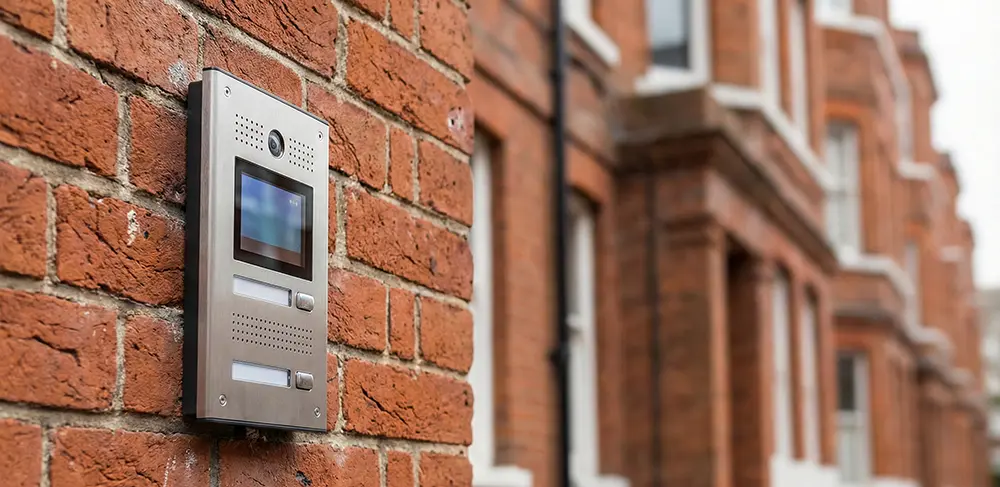
What ‘IP intercom’ really means in UK buildings
When people search ‘upgrade intercom UK’, they often picture a shiny new panel at the front door and a phone app inside. That can be part of it, but the important shift sits behind the fascia.
An IP door entry system treats the intercom as a network device. The entrance panel (audio or video) sits on your data network, draws power from it in many cases, and places calls using SIP (Session Initiation Protocol) or a vendor platform that behaves in a similar way. Calls can ring internal IP handsets, desk phones, a concierge console, a mobile device, or all of them in sequence. Permissions and settings can live in a web portal. Firmware updates become normal maintenance rather than a rare engineer visit.
SIP intercom matters because it keeps options open. If a panel speaks SIP properly, you can point it at many common phone systems, from on-site PBX deployments to hosted VoIP services, or a dedicated intercom server. You can also mix and match endpoints: a traditional handset in a flat, an IP phone at reception, and a smartphone app for out-of-hours answering.
This flexibility is exactly why planning matters. An analogue system largely lives in its own world. A SIP/IP intercom lives in the same world as your switches, VLANs, broadband line, firewall rules and power resilience. The benefit is control. The cost is that you now need to treat door entry as part of your building’s digital infrastructure.
Start with the building, not the brochure
Before anyone chooses a panel, the smartest spend is a proper site survey. Not a five-minute glance at the entrance, but a walk-through that looks at the routes, risers, cupboards and legacy kit. Most intercom trouble on upgrades comes from assumptions: ‘the cable will be fine”, ‘there must be power nearby”, ‘we can use the existing handsets’, ‘the comms cupboard has space’. Older buildings punish optimistic thinking.
A survey should answer a few practical questions in plain terms. What cable runs from the entrance to the distribution point? Is it a multi-core analogue loom, twisted pair, coax, Cat5e, or a mix that has grown over decades? Are there spare cores? Are the risers accessible and safe to work in, or packed tight with other services? Where can new equipment sit without becoming a fire risk, a security risk, or a maintenance nightmare? If the building has multiple entrances, are they already connected, or do they operate as separate islands?
Then consider who actually uses the intercom. In some blocks the intercom is mostly about parcels and delivery riders; in others, visitor access sits at the centre of resident safety. Office and mixed-use buildings often want controlled access during business hours and a different behaviour at night. Schools want clear audio and quick release, but they also need robust safeguarding controls. These differences affect the design far more than marketing terms like ‘smart’ or ‘cloud’.
Migration options that keep disruption down
There are several sensible ways to move from analogue to IP. The best choice depends on the cabling you have, the endpoints you want, and how much change the building can tolerate at once.
A full rip-and-replace works well in small buildings where you can re-cable without turning the place upside down. Many UK sites, though, need a retrofit approach. You want the benefits of SIP/IP intercom without weeks of drilling, trunking and redecorating disputes.
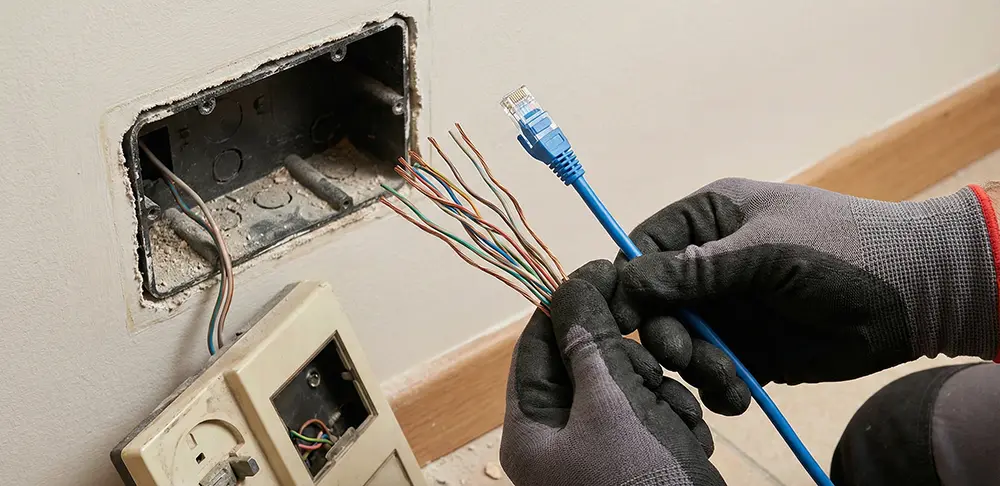
One common path uses SIP gateways. In simple terms, a gateway sits between the old world and the new. It lets you keep parts of the existing analogue infrastructure while introducing IP where it matters. For example, you might keep analogue handsets in flats for now, but move the entrance panel and call routing onto an IP platform. Or you might keep an existing multi-way entry panel in service while you pilot IP endpoints in a few units. Gateways can also help when you have two-wire cabling that is stable and in decent condition, but not suited to Ethernet.
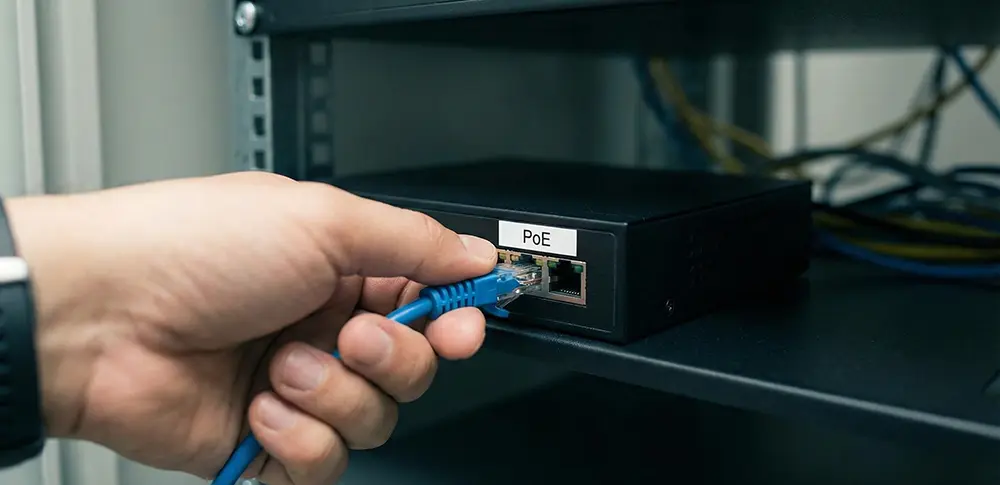
Another route relies on PoE (Power over Ethernet) with new Cat5e/Cat6 runs only where you truly need them. PoE can be a gift for retrofit work because it reduces the need for separate power supplies at the entrance, riser cupboards, or intermediate floors. If you can run a single data cable from the comms area to the entrance, you can often deliver both connectivity and power from a properly sized PoE switch. That can cut disruption and improve reliability, provided you design the power budget properly and protect the switch with sensible resilience measures.
A third route uses existing risers and structured pathways. Many buildings already have vertical routes that can take additional cable without visible surface work, if you plan the pull carefully and respect separation from other services. In older stock, those risers can be awkward and congested. Even then, a targeted reuse of cabling can work: re-terminate where needed, test for continuity and noise, and avoid placing sensitive network signals onto wiring that behaves like an aerial.
The practical point is this: ‘reuse of cabling’ is not a slogan. It’s an engineering decision. Sometimes it saves thousands and makes the job feasible. Sometimes it creates years of intermittent faults that cost more than the re-cabling you avoided. A good installer will test, document, and tell you when reuse is sensible and when it is wishful thinking.
Understanding PoE without getting lost in specs
PoE is often sold as a neat trick, but it has real implications for budget and reliability. If you plan to power a SIP/IP intercom panel, an IP camera module, and perhaps an additional reader or keypad from PoE, you must confirm what standard the devices require. Basic PoE (often called 802.3af) may handle an audio panel, but video panels, heated outdoor units, or panels with larger screens may require PoE+ (802.3at) or higher. If you underspec the switch, the intercom may boot, then fail when the camera switches on at night or when the door release draws current.
Then there is the total power budget. A switch might offer PoE on many ports, but only a limited total wattage across the unit. Add a second entrance, a couple of cameras, and an extra riser switch, and you can run out of headroom quickly. The result is not always a clean failure. Devices can behave unpredictably under power strain.
In retrofit projects around Derby, Nottingham and Sheffield, PoE usually pays back when the alternative would be multiple power spurs and local PSUs scattered through cupboards. That scatter makes faults harder to trace and creates more points of failure. Centralising power at a switch can simplify life, especially if you protect it with an uninterruptible power supply so the intercom stays alive during short mains dips.

Keep the network simple, but treat it as part of security
The intercom now sits on your data network, and that network has a job: carry voice and video with low delay, every day, without opening the door (figuratively or literally) to unnecessary risk.
A clean approach usually includes a dedicated segment for security devices, separate from general office Wi-Fi or resident broadband, with controlled routes to whatever service handles SIP calls. This does not need to become a grand IT project, but it does need basic discipline. If the intercom shares a noisy network with heavy traffic and no quality controls, video can stutter and calls can drop at the worst moments.
Cybersecurity is not just for large corporations. A door entry panel is a computer in a weatherproof box. It runs firmware. It has credentials. It may expose a web interface. If you leave default logins in place, or you hang it on a flat network with no controls, you invite problems. Most will be mundane rather than dramatic: unauthorised configuration changes, a panel that gets locked out, or a system that becomes difficult to support because nobody knows what has been altered.
A sensible installer will change defaults, limit access, document credentials securely, and set up remote support in a way that does not turn your intercom into an open door on the internet. If remote management matters, use proper methods rather than quick fixes.
Retrofit realities: what you can keep, and what you should replace
Retrofit is where most UK intercom upgrades succeed or fail. Buildings have history. They have layers of past work. They have that one cupboard that nobody wants to open.
You can often keep door furniture and wiring routes. You can sometimes keep riser cabling if it tests well and suits the chosen system. You can frequently keep the door strike or maglock, provided it is in good condition and wired safely. You can also keep familiar user experience in many cases: a handset in the flat that rings like a phone still feels intuitive, even if the call now arrives via SIP.
Where you usually should not cut corners is the entrance hardware itself and the control points. The entrance panel takes the weather, the knocks, the attempted tampering and the daily use. If you are upgrading the intercom UK stock that has already lived a hard life, you do not want to build the new system around a tired panel. Choose an entrance unit rated for the environment, with clear audio at street noise levels, and a camera module that does not turn every visitor into a silhouette after dark.
Inside the building, think about endpoints. Smartphone-only answering sounds modern until you meet the resident who has no interest in apps, the patchy signal area, or the battery that dies at 6 pm. Many projects land best with choice: an app option for people who want it, and a fixed endpoint for those who prefer something that just rings.
SIP gateways: a quiet way to phase an upgrade
SIP gateways deserve more attention than they get, because they offer a practical compromise when a building is not ready for a full changeover.
Imagine a block where the existing riser cabling is stable but not suitable for Ethernet, and the flats have working handsets. The managing agent wants to add mobile answering and improve call routing, but a full rewire would involve decorators, access problems, and weeks of arguments. A gateway-based migration can let you keep the flat wiring while shifting call control and management onto IP. You can then upgrade flat endpoints later, unit by unit, as budgets allow or during void periods.
Gateways also help when you have an older concierge desk that relies on analogue wiring. You can introduce a SIP console or IP phone endpoint while keeping the legacy desk temporarily, so staff can adapt without being thrown into a brand-new workflow overnight.
The trick is to be honest about what a gateway can and cannot do. It can bridge technologies. It cannot magically improve poor cabling, nor can it turn a very limited old system into a fully featured video platform without other changes. Used well, it reduces downtime and spreads cost. Used as a plaster over deeper issues, it becomes a permanent ‘temporary’ fix.
Downtime minimisation: how calm projects are staged
People tolerate building work when they understand it and when it ends on time. They resent it when access fails and nobody can say why. Intercom work sits right in the middle of daily life, so downtime needs its own plan.
A staged approach usually works best. Prepare the new equipment off-site where possible. Pre-configure panels, endpoints and call routing before you touch the live system. If the new intercom relies on network switches or new PoE, install and test that infrastructure first, in parallel, without disturbing the existing analogue service.
On changeover day, have a clear sequence. If you are replacing the entrance panel, keep the old panel functional until the new unit is ready to connect. If you are moving endpoints in flats or offices, schedule in clusters so the engineer can resolve issues while still on site, rather than leaving a trail of ‘call me if it doesn’t work’ problems.
Communications matter, but they do not need to be long-winded. Residents and staff want to know: what day, what time window, what they should expect, and who to contact if something fails. A simple notice that matches reality beats a glossy leaflet that overpromises.
It also pays to plan for access during the short interruption. In some buildings, a temporary access control measure is sensible: a staffed entrance for an hour, a coded lock with a short-lived code, or a managed period where deliveries are paused. The right choice depends on the site. The wrong choice is pretending there will be ‘no disruption’ and then discovering the door release is offline while the engineer is hunting a cable fault in a riser.
Budget tiers: what you actually get for the money
People often ask for a ‘ballpark’ price, but intercom upgrades vary because the building fabric varies. Still, it helps to think in tiers, not in sales packages, and to tie each tier to what changes in the real world.
At the lower end, a sensible upgrade focuses on reliability and manageability. You might retain much of the existing wiring, use a SIP gateway where appropriate, and deliver improved call routing with limited new equipment. The entrance panel may be refreshed, but you keep endpoints basic. This tier suits buildings where the main driver is ageing parts and maintenance risk, rather than a desire for a full video experience.
A middle tier often introduces video at the entrance and a broader choice of answering methods. You might use PoE to simplify power, replace key cabling runs, and deploy a mix of internal handsets and app answering. Management becomes easier: named users, clearer logs, and remote diagnostics. This tier tends to suit blocks and commercial sites that want a meaningful improvement without turning the project into a full refurbishment.
At the higher end, you are designing a platform rather than swapping a box. Multiple entrances, concierge integration, controlled access rules by time of day, stronger audit trails, higher-grade door hardware, and a network design that treats intercom and access as a managed security system. You might also add redundancy: backup call routes, resilient power, and monitoring that flags device issues before users start complaining. This tier makes sense where the building’s risk profile is higher, or where the cost of failure is genuinely expensive in terms of security, staffing or reputation.
The mistake at any tier is buying features that the building will not use while starving the basics. Clear audio, reliable release, stable power, and serviceability beat gimmicks every time.
Common pitfalls that cost weeks, not days
The same issues crop up repeatedly on analogue-to-IP projects, regardless of the region.
One is ignoring the door release circuit until the end. The intercom may call perfectly, but if the lock wiring is tired or the release needs a different relay arrangement, you can end up with a door that will not open remotely. Plan the lock interface early, test it under real conditions, and make sure it fails safely in the right way for the building.
Another is overconfidence in existing cabling. A cable can look fine and still be noisy, damaged, or routed in a way that causes interference. Testing takes time, but it is cheaper than repeated callouts.
A third is assuming mobile answering will ‘just work”. Apps rely on phones, notifications, signal, and user behaviour. They can be excellent, but they are not a complete replacement for a stable endpoint in every scenario. Offer options, train people briefly, and keep support practical.
Then there is ownership. Who controls the SIP credentials? Who can add or remove users? Who holds the admin logins? If a managing agent changes, does the building lose access to its own system? Clear handover documentation sounds boring, but it prevents long disputes later.
How does this connect with wider building safety and compliance
Door entry does not sit in isolation. In many buildings, it interacts with access control, emergency egress requirements, and broader security policies. If the building has controlled doors on escape routes, the design should ensure safe behaviour during an alarm condition. That might mean doors release appropriately, or fail to a safe state, depending on the door’s role and the overall fire strategy.
This is one reason it helps to work with a provider that understands adjacent systems. AKSA Security’s work across fire alarms and security installations in Derby, Nottingham, Sheffield and nearby areas often means we see the knock-on effects: an access change that conflicts with a fire door plan, or a tidy intercom upgrade that accidentally creates a weak point in building security because the network path was left too open. Coordinating early avoids expensive rework and keeps the building’s safety documentation consistent.
Data protection also appears more often with IP door entry, particularly when video and cloud services enter the picture. If the system captures images, logs calls, or stores user data, the building owner or manager has responsibilities around retention, access, and transparency. You do not need a legal essay taped to the noticeboard, but you do need a sensible policy and a system configured to match it.
Planning your next step: a practical checklist in prose
If you are weighing up a SIP/IP intercom upgrade, treat it like a building project rather than a gadget purchase. Start by deciding what problem you are solving. If it is reliability and parts availability, prioritise a design that is easy to support and tolerant of the building’s existing cabling. If it is a resident experience, plan endpoints that suit different users, not just the keenest smartphone fans. If it is security, look beyond the entrance panel and consider network segregation, credential control, and robust door hardware.
Then look at the fabric. Confirm routes, risers, power points and cupboard space. Decide where you can sensibly reuse cabling and where replacement will save pain. Choose your migration route: full IP with PoE where the building can take it, or a staged retrofit using SIP gateways and phased endpoint changes.
Finally, plan the changeover like you plan any disruption. Prepare, test, stage, communicate clearly, and keep support available on the day. A smooth upgrade feels uneventful because you did the difficult thinking up front, not because the job is magically simple.
If you want AKSA Security to assess an upgrade in Derby, Nottingham, Sheffield or the surrounding areas, the most useful first step is a site survey that maps your current wiring and hardware, followed by a migration proposal with clear options for retrofit, PoE, and SIP gateways. Done properly, you end up with an intercom that behaves like a modern service while respecting the realities of the building that has to live with it.

Author: Adrian Sienkiewicz, Fire And Security Project Manager at AKSA Security
Adrian started his career as an IT Support Engineer but after a while, he moved into the security industry using his experience with IT systems. He started his first security job as a Fire and Security Engineer at ALX Security and then continued as a Fire and Security Project Manager at Bull Security.
During his career, he has worked for SECURIFIX, LASER BEAM and ZICAM GROUP as a Security Engineer, Technical Support and Operations Manager. Adrian has worked on security projects for companies such as DHL, Selco Building Warehouse and Eddie Stobart, installing anti-burglary systems, industrial surveillance and access control systems. He is working on a partnership basis with companies such as Avigilon, Motorola, Honeywell, Texecom, Hikvision, Hanwha, Dahua, Commtel, Paxton and BFT.
Adrian is a certified National Security Industry auditor.